CAN YOU SPOT A FAKE?
The 4 red banners below will show a few examples of what you should look for in an email. Hover your mouse over where they are pointing for more information. Click the “← Back” button on the top right when you are done or hit “Take Quiz”

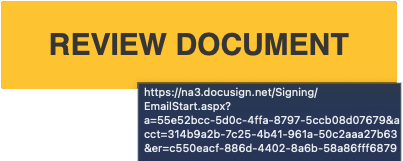
Notice the IP address instead of a URL. IP addresses in links are not your friend.

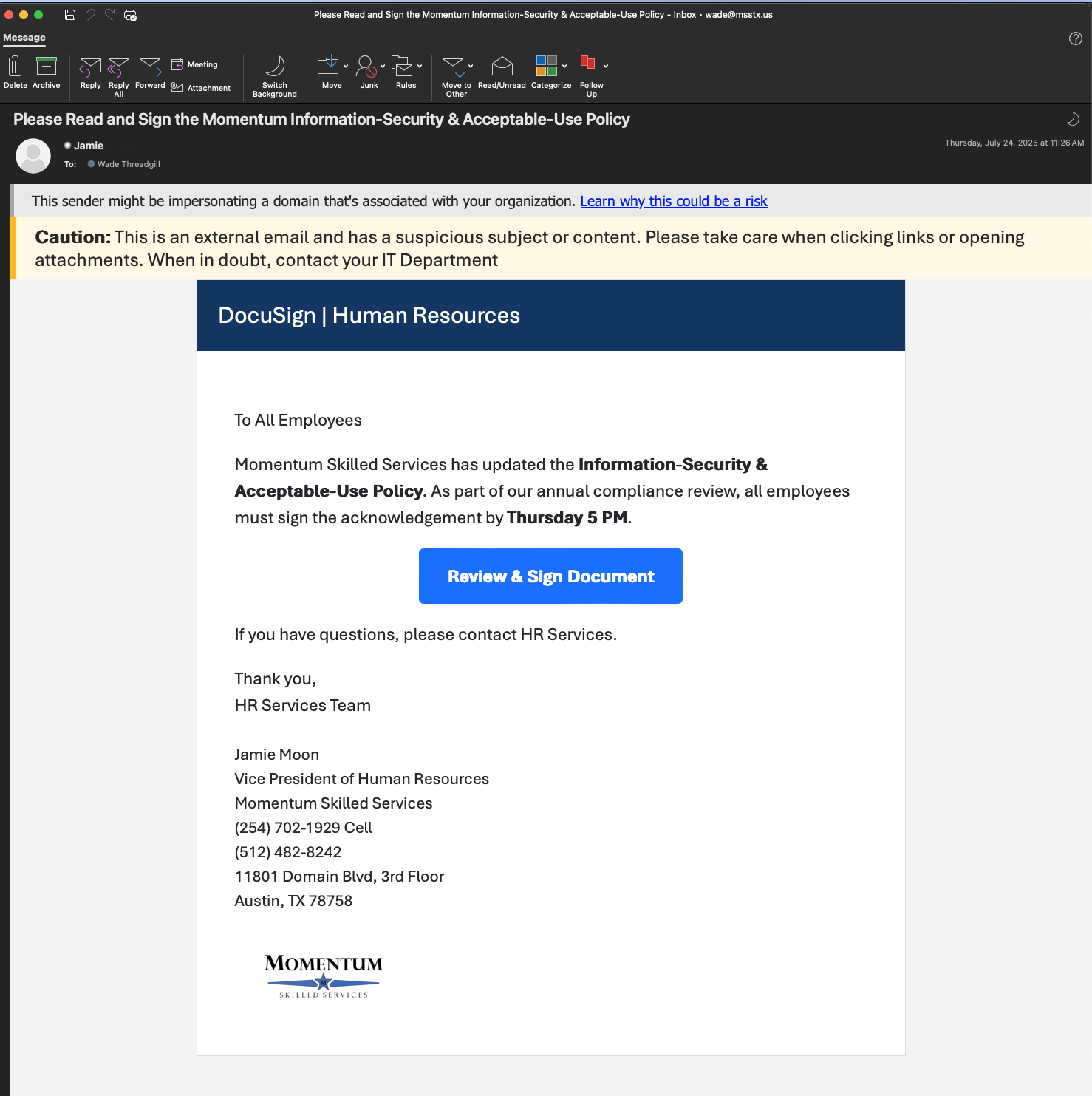
It is very easy for a scammer to make the name whatever they want. Hovering over the sender’s name revals the true email address.
msstx.net not msstx .us
This banner warns that the sender’s email appears to be similar to your domain or a domain you often interact with. When you see this banner be very very careful.
This banner is a general warning that the email is from an external source and may contain suspicious links. You will see this often in your emails, but don’t tune it out. It means the email is from someone outside the company. Why would this be on an email from Jamie? .

 to something else like a hand
 then you are on a link or a button. If you click, something will happen. If the email is from someone wanting to get into your system, something BAD can happen.